Turning site walks into finished reports
Photo, note, action, report. SiteWalk8 records the walk as you do it, with your fields and your drawings, so the report is finished before you leave site.
Get early access14-day field trial
Works with no signal
No card required
We do the write-up while you walk, so the report is finished before you knock off.
The Walk
001sitewalk8
Drawing-anchored capture, built for the person holding the phone on site.
Every note carries a photograph, a timestamp, your own data fields and a pin on the plan. Nothing gets re-typed at the desk.
Capture engine
One walk in. Three different documents out.
The shutter opens a note. Your fields sit underneath it. The plan takes the pin. The report assembles itself as you go, then goes out under your logo.
v0.1 · In field trial68%
Capture
Photo, voice and fields in one flow. Two taps from camera to saved note.
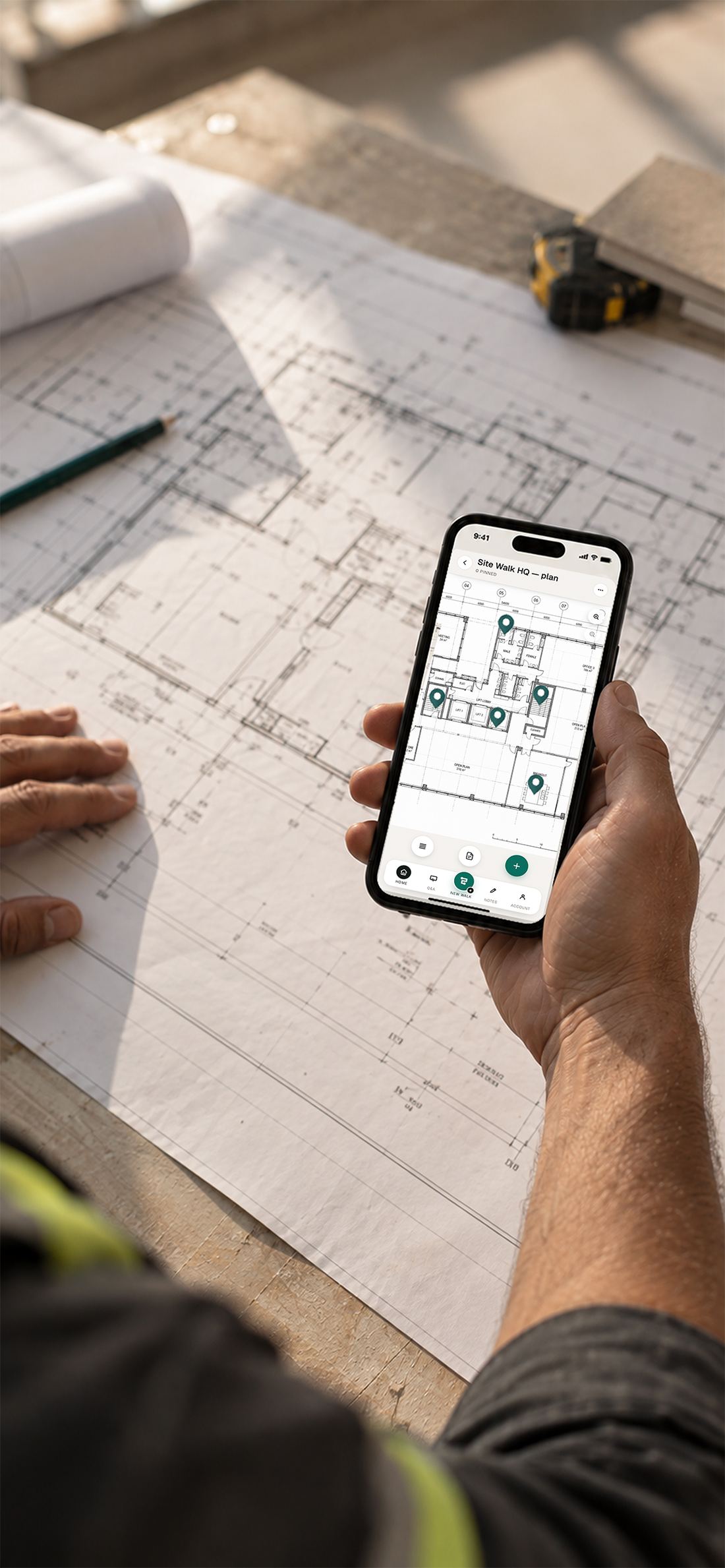
Drawings
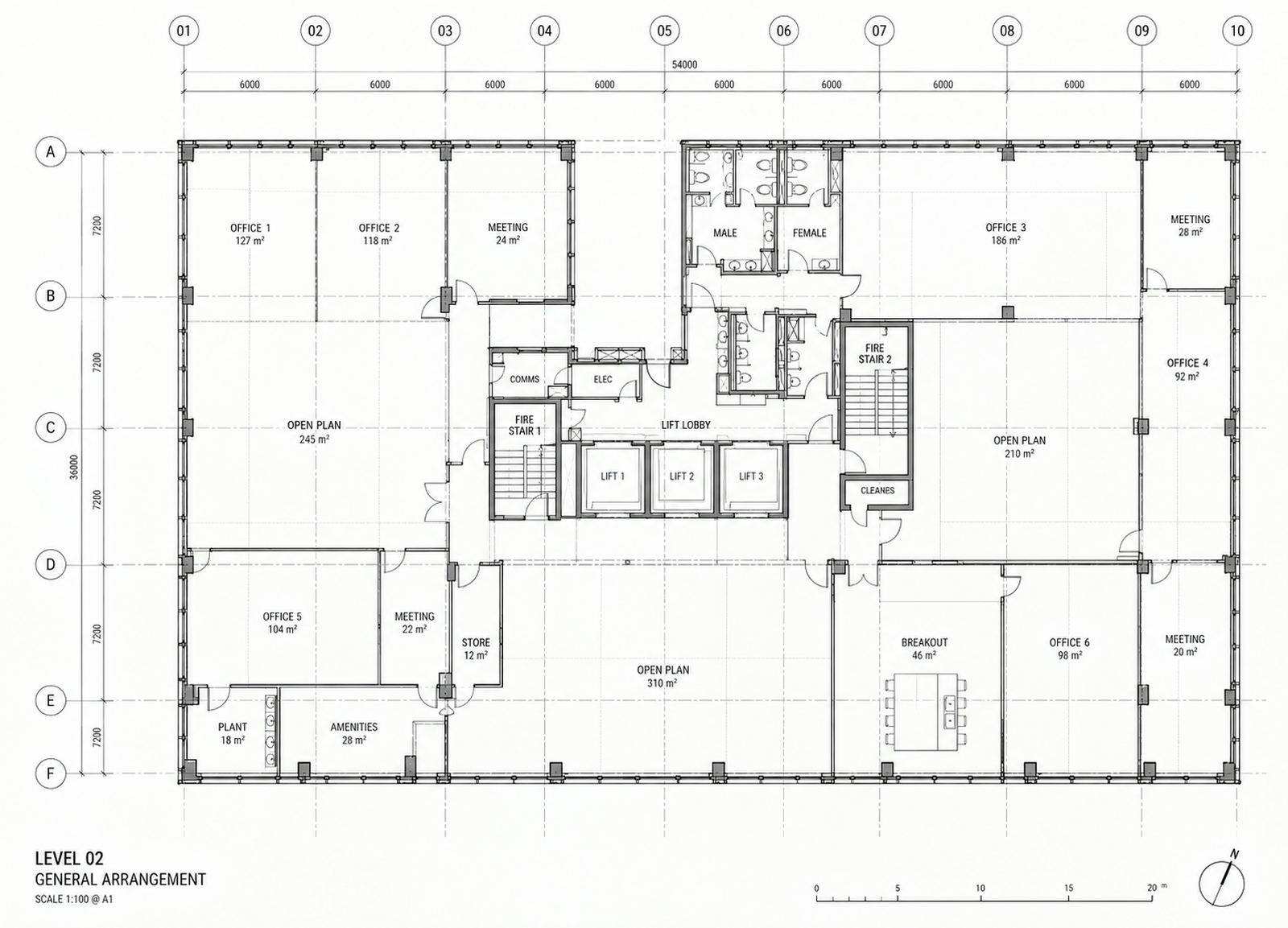
PDF sets split into pages on the device. Pinch, pan, pin. No connection needed.
Reports
One button, your branding, your grouping, every claim carrying its photograph.
SW-001 / CAPTURE
Join the field trial
Three Jobs
002use cases
The walk is always the same. The fields you carry and the report you hand over are not.
That's why one app covers a safety inspection, a pre-defit condition survey and an estimating take-off without becoming three apps.
· 01
Safety inspections
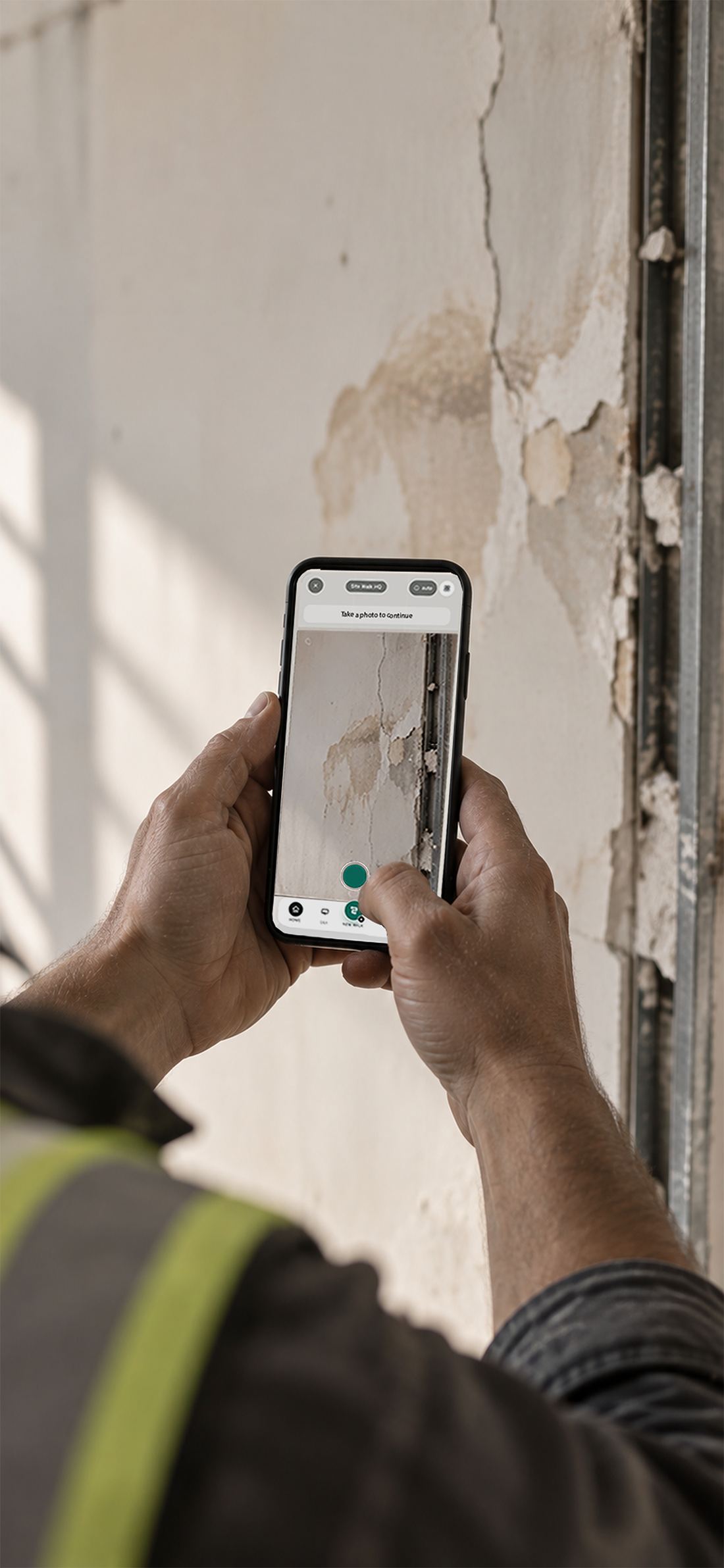
Hazard, action, owner, logged on the spot
Photograph it, dictate what's wrong, set severity and who owns the fix. A dated, photo-evidenced report with a live action register.
HSE leads · supervisorsCondition & pre-construction surveys
Before defit, demo or refit. Level, Room, Asset, Condition, walked floor by floor and pinned to the plan. The record that settles make-good later.
Defit & demo · fitout · PMsProject estimation
Carry your take-off fields into the building. Quantities, assets and access constraints, priced straight from a structured record.
Estimators · pricing teamsOr a walk of your own
Handover, defects liability, insurance, dilapidation. If you can name the fields, SiteWalk8 will carry them and report on them.
Build your own
SW-002 / FIELD SETS
See how a walk runs
The Process
003how it runs
Four steps. Setup happens once per site, and the last step is a button.
After setup it's camera, voice and thumb: the three things that still work when the other hand is holding a torch.
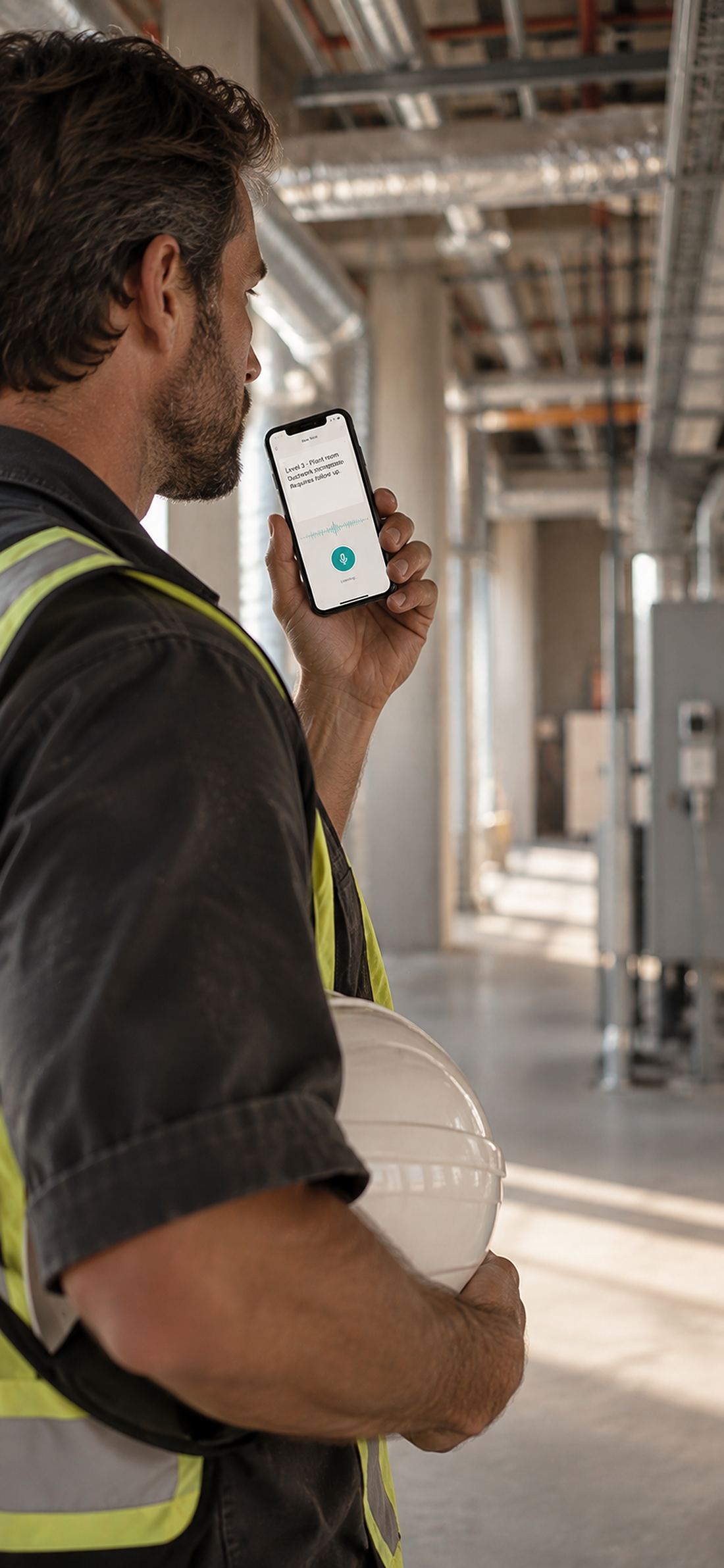
Walk process
Step 1: Set the site up
Address, access, and the drawing set.
Type the address or pick it from lookup, give it a friendly name, note how you get in and who to call. Then upload the PDF drawing set, or just photograph the plans taped to the wall. Pages render on the device, so the plan is there whether the signal is or not.
Step 2: Build your data fields
The app learns the words you already use.
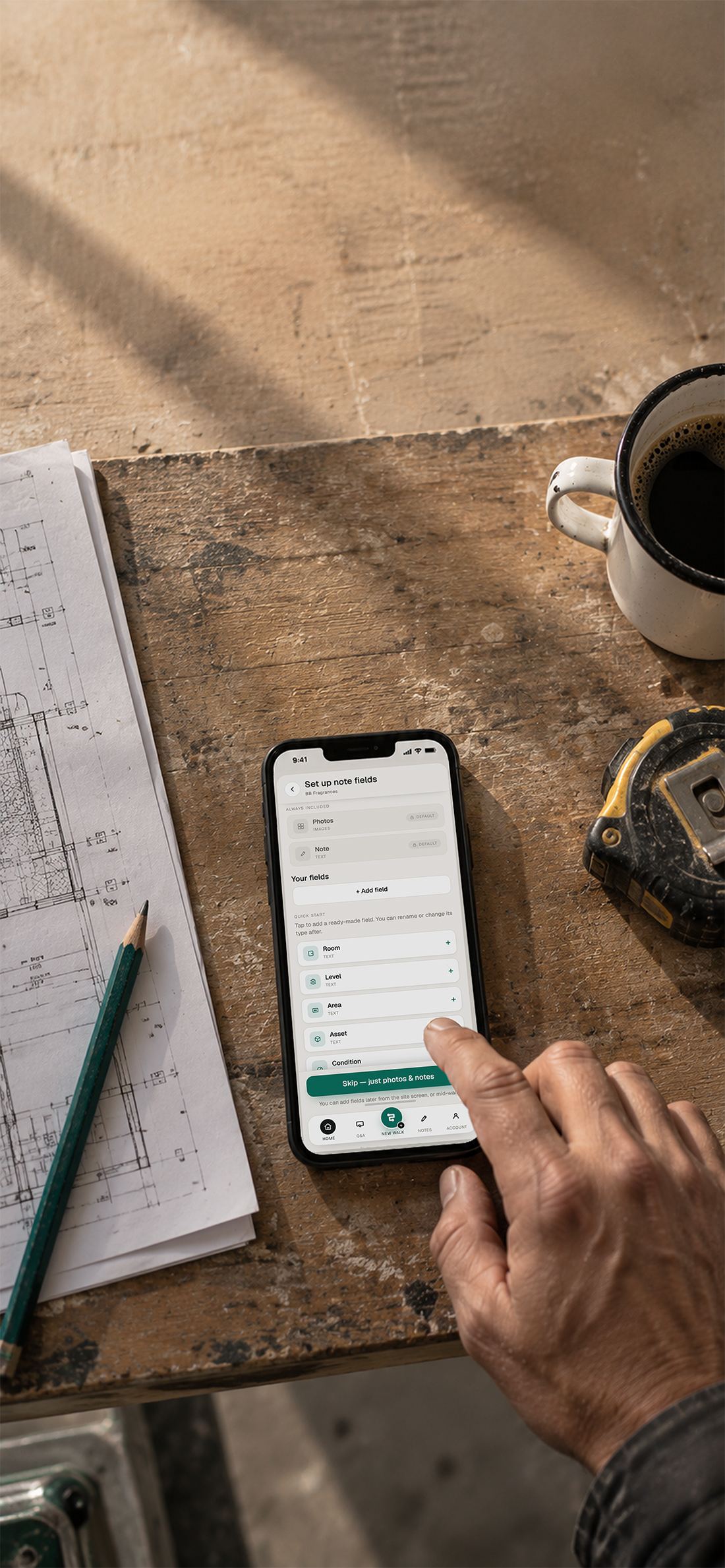
Photos and a note are always there. Add whatever this job needs: Room, Level, Area, Asset, Condition, Defect type, as text, number or choice, in the order you'll actually fill them. Start from six presets, rename anything, reorder at any time, and add a field mid-walk without losing what you've captured.
Step 3: Walk and capture
The shutter is the start of the note.
No "create record, attach media, save". Shoot it and the note exists, dated, placed, with your fields waiting underneath. Dictate into any of them. Drop the note as a pin exactly where you found it. If something needs the office, raise a question and keep walking; the answer comes back against the note.
Step 4: Generate the report
The document your customer actually reads.
Notes in walk order or grouped your way: by level, by room, by severity. Photographs attached to the findings they belong to, open questions and actions listed with an owner against each, your logo on the cover. Ready before you head off site.
60 secOnce per site
SW-003 / 04 STEPS
Book a walkthrough
The Report
004the output
The bit your client sees. It should look like it came from your office. Because it did.
Illustrative report and figures below, from a sample walk. Grouping, branding and which fields appear are all yours to set.
AALD GroupDefit & Demolition
Ceiling grid: water damage above pantry
Level 14 · Room Pantry 14.06 · Asset Ceiling grid · Condition Poor
Action · Make-good before defitRiser cupboard: services live, isolation required
Level 14 · Area Core B · Asset Electrical riser · Condition Fair
Question · With officeGlazed partitions: sound, retain for reuse
Level 14 · Area Open plan east · Asset Partitions · Condition Good
No action27 findings · 41 photographsPrepared in SiteWalk8
Findings by condition
Sample walk · 27 findings
- Good 13
- Fair 9
- Poor 5
Findings by level
Sample walk · four levels covered
27Findings
41Photographs
3Open questions
1h 36mWalk duration
SW-004 / SAMPLE DATA
See a report from your own site
Plans
005pricing
Priced per person who walks. Office staff who only read reports don't need a seat.
Plan shapes are settled. The numbers are being fixed with the first cohort of trades in the trial. Join in and help set them.
Sole trader
One person walking their own jobs and sending their own reports.
Early access · pricing set with the cohort
- 1 walker
- Unlimited sites and notes
- Custom data fields
- Drawing pins, offline capture
- Reports under your logo
Most trades start hereCrew
A team walking sites for one business, with an office answering questions behind them.
Early access · pricing set with the cohort
- Everything in Sole trader
- Up to 10 walkers, shared sites
- Questions routed to the office
- Reusable field templates
- Customer and site filing
Business
Multiple crews, multiple customers, and estimating running off the same walks.
Talk to us · Refit8 account
- Everything in Crew
- Unlimited walkers
- Take-off export for estimating
- Report templates set up with you
- Runs alongside your Refit8 account
Running more than a few crews?We'll set the field templates and report layouts up with you, on your drawings.
Contact us about a rollout
SW-005 / PER WALKER
Questions first?
Questions & Answers
006faq
Plain answers to the things trades ask before they'll put an app on a site.
Anything not here? Ask us directly. We'd rather have the conversation than write more copy.
Does it work with no signal?
Yes. Photos, notes, data fields and drawing pins are all captured on the device, and PDF drawing pages are rendered on the device too, so basements, lift shafts and regional sites are fine. Everything syncs when you're back in range.
Can the report go out under our own branding?
That's the point of it. Reports carry your business's logo and details. Your customer sees a document from you.
How do drawings get in?
Upload a PDF drawing set, already split into pages, or photograph the plans taped to the wall. Either way you can pinch, pan and drop pins where you found something, and the pins carry straight through to the report.
Do I have to set the fields up every single time?
No. Fields are set once per site and every note on that site carries them. If you run the same kind of walk repeatedly, save the set as a template and load it on the next job. You can also add a field mid-walk without losing what you've captured.
iPhone or Android? Phone or tablet?
All four. The phone and tablet interfaces were designed side by side rather than one stretched from the other, so the tablet uses its extra room properly: bigger drawing view, more note detail on screen at once.
Is this only for safety inspections?
No. That's one of three jobs it's built around. The same capture engine runs safety walks, pre-construction and dilapidation surveys ahead of a defit, demo or refit, and estimating walks that feed internal pricing and client quotations. What changes between them is the data fields you carry and the report that comes out.
Do I need the rest of Refit8 to use it?
No. SiteWalk8 works completely on its own. If you already use Refit8, it sits on the same account and the data you capture on a walk flows straight into it.
What does early access actually mean?
v0.1 is in field trial now. Early access means you get it on your sites before general release, you help shape what gets built next, and you help set the pricing rather than being handed it.
Still have questions?Every trade runs its walks differently. Tell us how yours run and we'll tell you straight whether this fits.
Let's have a chatThe Interface
007up close
Designed for one hand, bright sun and dirty gloves. Then tested that way.
Four screens that carry the whole walk. Step through them, or pick one from the strip below.
01 / 04
SW-007 / 04 SCREENS
Try it on your own walk
Walk Types
008in practice
Four walks trades are running in the trial, and what each one hands over at the end.
Each is just a different field set and a different report layout. Same app, same capture, same afternoon saved.
Safety walkWeekly · Site-wide
Dilapidation walkOnce · Pre-defit
Estimating walkPer tender
Handover walkPractical completion
SW-008 / FIELD SETS
Tell us how yours runs
Let's walk.
Early access · Cohort 01
Walk one site with it. You'll know by lunchtime.
- No cost during the trial
- We set your field templates up with you
- Your drawings, your branding, your first report
- You help set the pricing
 SiteWalk8Early access
The on-site capture product in the Refit8 platform
SiteWalk8Early access
The on-site capture product in the Refit8 platform